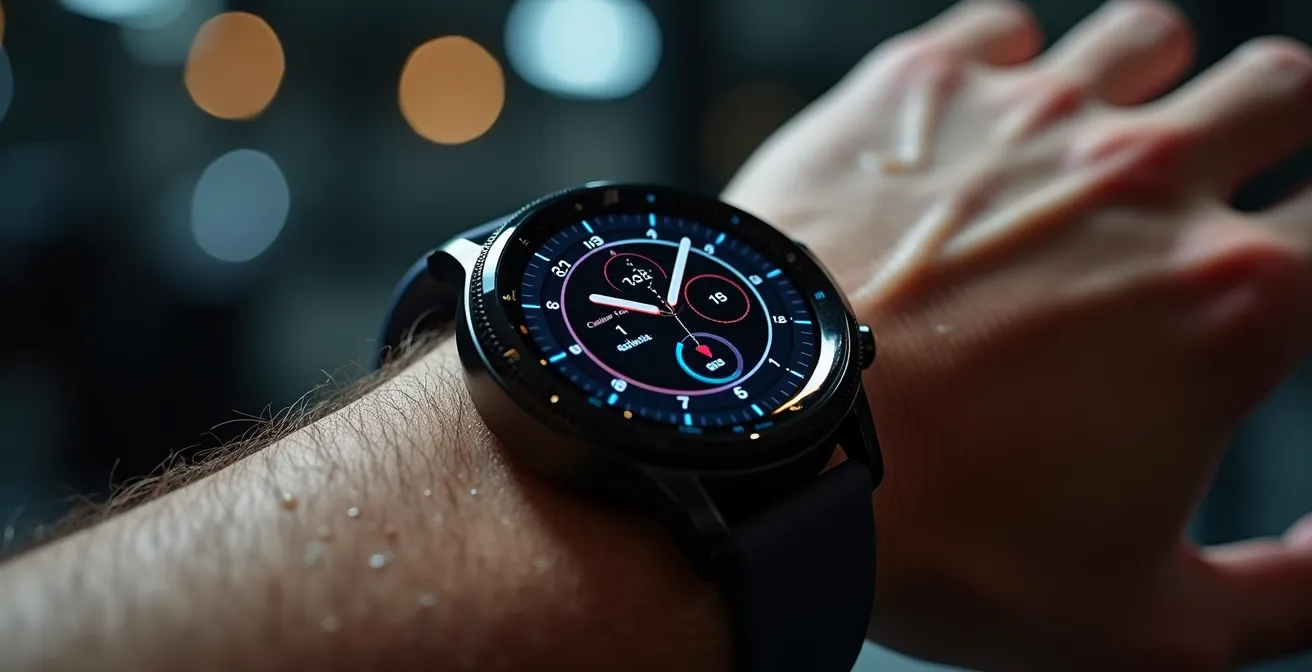
Your watch isn’t lying about calories burned; its algorithm is making an educated guess based on flawed data. True accuracy comes from systematic calibration, not blind trust.
- Optical sensors struggle with high-intensity movements, leading to significant calorie miscalculations during activities like HIIT.
- Energy expenditure (EE) is an estimation, and major tech ecosystems (Apple, Garmin) have different algorithmic biases for different activities.
Recommendation: Stop focusing on the daily absolute number. Instead, implement a weekly calibration protocol for your specific activities (NEAT, cardio) to establish a reliable trend and a personal correction factor.
If you’re a dedicated fitness user, you’ve likely felt the sting of suspicion. You finish a grueling workout, drenched in sweat, only to see a calorie count on your smartwatch that feels disappointingly low—or absurdly high. The immediate reaction is to question the device: “Is my watch lying to me?” This frustration leads many down a rabbit hole of common advice: tighten the strap, clean the sensor, update your personal data. While these are baseline requirements, they fail to address the fundamental issue.
The problem isn’t one of simple hardware malfunction. It lies in the complex, often opaque world of algorithmic interpretation. Your watch isn’t measuring calories; it’s measuring heart rate, motion, and sometimes skin temperature, then feeding this data into a predictive model to estimate your total energy expenditure (EE). This estimation process is inherently prone to error, especially when faced with data “noise” from certain types of exercise or daily activity. The platitudes about wearing your watch correctly are just the first 1% of the solution.
The solution isn’t to find a more “honest” watch, but to become a smarter user—to treat your device not as an infallible oracle, but as an engineering instrument that requires systematic calibration. This guide will shift your perspective. Instead of just accepting the output, you will learn to understand the system’s inherent biases, identify its failure points, and implement simple, protocol-driven tests to correct for its predictable errors. We will move beyond the basics and into the mechanics of true data accuracy, transforming your raw numbers into genuinely reliable insights.
This article provides a structured approach to understanding and improving your wearable’s data. Explore the sections below to master each aspect of device calibration and data interpretation, from high-intensity workouts to daily background activity.
Summary: A Guide to Smartwatch Calibration and Data Accuracy
- Why Your Heart Rate Monitor Misses Spikes During HIIT?
- How to Use Heart Rate Variability to Predict Illness?
- Smart Ring or Watch: Which Is Better for Sleep Tracking?
- The Privacy Risk of Sharing Your Health Data With Insurance Apps
- When to Charge Your Wearable to Never Miss Sleep Data?
- How to Burn 300 Extra Calories a Day Without Visiting a Gym?
- The Cost Trap of Getting Locked Into One Cloud Ecosystem
- Why 20 Minutes of Daily Movement Beats a Weekly Gym Marathon?
Why Your Heart Rate Monitor Misses Spikes During HIIT?
The single greatest point of failure for wrist-based optical heart rate sensors (PPG) is high-intensity interval training (HIIT). During rapid, explosive movements, two issues converge: your heart rate changes faster than the sensor can often track, and the physical motion of your arm creates signal interference. This interference, known as motion artifacts, “blinds” the optical sensor, which relies on a stable light signal to detect blood volume changes in your capillaries. The algorithm is then forced to guess, often underestimating peak heart rate and, consequently, calorie burn.
Research confirms this systemic weakness. For example, a recent study on aerobic dance HIIT found that smartwatch errors ranged from 16.56% to 42.84% when estimating energy expenditure. This isn’t a simple glitch; it’s a fundamental limitation of measuring blood flow at a highly mobile joint like the wrist. As the Men’s Health UK Research Team noted in their 2024 review of heart rate monitors:
Optical heart rate monitors are most accurate during periods of rest but become less reliable during exercise
– Men’s Health UK Research Team, Best Heart Rate Monitors Review 2024
To mitigate this algorithmic bias, you must provide the system with a cleaner signal. Consider these engineering-level adjustments:
- Train the Algorithm: Pair a chest strap monitor (which uses more reliable electrical signals) with your watch for several HIIT sessions. This can help some adaptive algorithms learn your typical HR response curve.
- Relocate the Sensor: For intense workouts, wear the optical sensor on your upper arm instead of the wrist. This area experiences fewer motion artifacts, providing a much more stable signal.
- Implement a Warm-Up Protocol: Allow a 2-3 minute warm-up period for your heart rate to stabilize and the sensor to lock onto a clear signal before you begin your first high-intensity interval.
How to Use Heart Rate Variability to Predict Illness?
While calorie tracking is fraught with estimation, Heart Rate Variability (HRV) is a more direct and powerful metric your wearable can provide. HRV measures the precise variation in time between each heartbeat. A high HRV generally indicates a well-rested, resilient nervous system, while a chronically low or suddenly dropping HRV can be an early indicator of physiological stress, overtraining, or impending illness. It’s your body’s “check engine” light.
The key to using HRV for predictive purposes is establishing a consistent, personal baseline. Your HRV is highly individual and fluctuates daily. Instead of comparing your numbers to others, focus on your own trends. The most reliable method is to measure your HRV at the same time every morning, immediately upon waking and before getting out of bed. This minimizes confounding variables like caffeine, stress, or physical activity.

As you can see in this visualization of a proper measurement routine, the context is one of complete rest. After several weeks of consistent morning readings, you’ll establish a normal range. A significant, sustained drop below this range for 2-3 consecutive days is a powerful signal. It suggests your autonomic nervous system is under strain, often before you consciously feel symptoms. This is your cue to prioritize rest, hydration, and nutrition, potentially staving off a full-blown illness or injury.
Smart Ring or Watch: Which Is Better for Sleep Tracking?
When it comes to sleep tracking, the physical form factor of the device plays a critical role in data accuracy. While both smart rings and smartwatches use similar optical sensors, their placement and stability during the night lead to significant differences in data quality. A smartwatch, being larger and heavier, is more susceptible to movement and losing optimal skin contact as you shift positions in your sleep. This can create gaps or “noise” in the heart rate and temperature data.
A smart ring, by contrast, fits snugly on the finger, a location with excellent capillary density and minimal disruptive movement. This superior skin contact provides a much cleaner and more continuous signal, especially for sensitive metrics like body temperature, which is a key input for analyzing sleep cycles and overall recovery. The difference in precision can be a determining factor for users focused on optimizing sleep performance.
This table breaks down the core differences in how each device form factor impacts key sleep-tracking metrics.
| Device Type | Temperature Tracking | Movement Detection | BMR Impact |
|---|---|---|---|
| Smart Ring | Superior (skin contact) | More precise | ±2% accuracy |
| Smartwatch | Variable | Affected by arm movement | ±5-8% accuracy |
For a user whose primary goal is sleep analysis, the smart ring offers a distinct advantage in data fidelity due to its form factor. For an all-purpose user who values daytime activity tracking and notifications, the smartwatch remains a more versatile tool, albeit with a trade-off in sleep data precision. The choice depends on your primary use case: general wellness tracking versus dedicated sleep optimization.
The Privacy Risk of Sharing Your Health Data With Insurance Apps
The data from your wearable is more than just numbers; it’s an intimate digital record of your physiological state. When you grant third-party apps, particularly those linked to insurance companies or corporate wellness programs, access to this data, you are exposing yourself to potential risks. These programs promise rewards for healthy behavior, but they operate on algorithms that may misinterpret your data, leading to unfair assessments. For instance, a period of rest due to illness could be algorithmically flagged as “inactivity,” or inaccurate calorie data could paint a misleading picture of your lifestyle.
The primary risk lies in the lack of context. The app’s algorithm doesn’t know you took a rest day because your HRV was low or that your watch’s calorie count was inflated by motion artifacts during a workout. It only sees the raw data. This can lead to your “health score” being negatively impacted by the very limitations of the hardware you’re using. Protecting yourself requires a proactive, skeptical approach to data sharing, treating it as a continuous audit rather than a one-time permission.
To maintain control over your digital health footprint, you must perform regular data integrity audits. This checklist provides a concrete framework for minimizing your exposure while still participating in wellness programs.
Your Data Integrity Audit Plan: 5 Steps to Verify and Protect Your Health Metrics
- Cross-Reference Reports: On a weekly basis, compare the calorie and activity reports between your device’s native app (e.g., Apple Health, Garmin Connect) and the third-party insurance app.
- Document Discrepancies: Keep a personal log of any significant discrepancies, especially those greater than 10%. This creates a record in case your data is ever questioned.
- Enable Selective Sharing: When granting permissions, share only the minimum necessary data. Often, step count and total workout time are sufficient, without exposing more sensitive metrics.
- Restrict Raw Data: Actively disable the sharing of raw heart rate data and detailed sleep stages. This prevents algorithmic misinterpretation of normal physiological fluctuations.
- Conduct Quarterly Reviews: Every three months, review the permissions for all connected apps and revoke any access that is no longer necessary or seems excessive.
When to Charge Your Wearable to Never Miss Sleep Data?
A common source of incomplete health data is a dead battery overnight. Many users charge their watch while they sleep, which is the single worst time if you are interested in sleep and recovery metrics like HRV, resting heart rate, and sleep stages. To ensure a complete 24/7 data set, you must integrate charging into your daily routine at a time when you are relatively sedentary and not generating critical health data. The goal is to make charging a conscious, brief ritual rather than a long, passive overnight event.
The optimal charging strategy is “topping up” during predictable downtime. The two best windows are typically: 1. During your morning routine: While you shower and get ready, your watch can get a significant charge, usually enough to last the rest of the day and night. 2. During your evening wind-down: An hour before bed, while you are reading or relaxing, is another excellent opportunity to charge. This ensures the device is at 100% before you go to sleep.

Establishing this habit—placing your watch on its charger as part of a pre-sleep or post-wake-up ritual—guarantees you never miss a night of valuable sleep data. Most modern wearables can gain over 50% charge in just 30-45 minutes, so a full overnight charge is rarely necessary. This simple shift in habit moves charging from an afterthought to a deliberate part of your data collection strategy, ensuring the integrity and completeness of your health profile.
How to Burn 300 Extra Calories a Day Without Visiting a Gym?
A significant portion of your daily energy expenditure doesn’t come from structured exercise, but from Non-Exercise Activity Thermogenesis (NEAT)—the energy expended for everything we do that is not sleeping, eating, or sports-like exercise. This includes walking to work, typing, gardening, or even fidgeting. The problem is that smartwatches are notoriously poor at tracking these low-intensity, sporadic activities, often lumping them into your Basal Metabolic Rate (BMR) and giving you no “credit” for them. Calibrating your watch for NEAT is therefore essential for an accurate picture of your total daily energy expenditure (TDEE).
To burn an extra 300 calories, which contributes to the roughly 3,500 calories necessary to lose a pound of body weight, you must first teach your watch to recognize your unique NEAT patterns. This requires a systematic calibration process. By comparing your watch’s data against a scientific formula and your own real-world results, you can develop a personal “correction factor.”
Follow this NEAT calibration method to refine your tracking:
- Establish a Baseline: For three consecutive days, walk the same 30-minute route at the same consistent pace. Your watch’s calorie count should vary by less than 5% each day. If it doesn’t, the sensor is getting inconsistent data.
- Verify with Science: Use a scientific calculator based on the Compendium of Physical Activities (like the one provided by LCDA) to get a METs (Metabolic Equivalent of Task) formula-based estimate for your walk.
- Identify Algorithmic Bias: If your watch’s figure is more than 10% different from the METs calculation, its algorithm for “Walking” may be biased for your physiology. Try logging similar activities using a different profile, like “Gardening” or “Cleaning,” which may use a more appropriate calorie model.
- Create a Correction Factor: After a week of tracking, compare your expected weight change (based on calorie intake vs. watch data) with your actual weight change. This allows you to create a simple correction factor (e.g., “My watch overestimates by 15% on average”).
The Cost Trap of Getting Locked Into One Cloud Ecosystem
When you choose a wearable, you’re not just buying a piece of hardware; you’re buying into a software ecosystem. Each brand (Garmin, Apple, Fitbit) uses its own proprietary algorithms to translate your raw sensor data into metrics like calories burned or sleep stages. These algorithms are the “secret sauce,” and they have distinct biases and levels of accuracy for different activities. Getting locked into one ecosystem means you become subject to its specific algorithmic blind spots, which may not be a good fit for your primary activities.
The danger is assuming that the data is portable or universally interpreted, but it’s not. The same raw heart rate data can produce vastly different calorie estimates in Garmin Connect versus Apple Health because their models for energy expenditure (EE) are tuned differently. As a Stanford University research team concluded in the Journal of Personalized Medicine, this is the central issue with consumer wearables:
Most wrist-worn devices adequately measure HR in laboratory-based activities, but poorly estimate EE, suggesting caution in the use of EE measurements as part of health improvement programs
– Stanford University Research Team, Journal of Personalized Medicine
This means your choice of ecosystem has a direct impact on data accuracy for your specific use case. The table below, compiled from various accuracy studies, illustrates how different ecosystems perform across common activity types.
| Ecosystem | Running Accuracy | Cycling Accuracy | HIIT Accuracy |
|---|---|---|---|
| Garmin | Excellent (<5% error) | Excellent | Moderate |
| Apple | Good | Excellent | Good for general use |
| Fitbit | Good | Moderate | Variable |
The “cost trap” isn’t just financial; it’s a data integrity trap. Before committing to a device, you should research which ecosystem’s algorithms are best validated for the activities you perform most often, rather than assuming all platforms are created equal.
Key Takeaways
- Calorie tracking is an estimation process; your goal should be reliable trends, not perfect daily numbers.
- Data accuracy is determined by both hardware (sensor location, form factor) and software (algorithmic bias of the ecosystem).
- Proactive calibration—testing your device against known standards and your own results—is the only way to transform raw data into trustworthy insights.
Why 20 Minutes of Daily Movement Beats a Weekly Gym Marathon?
From an algorithmic perspective, consistency is far more valuable than intensity. A wearable’s algorithm learns your unique physiology and movement patterns over time. A “weekend warrior” who is sedentary for five days and then engages in a two-hour gym marathon presents the algorithm with a chaotic and hard-to-model data stream. In contrast, 20 minutes of consistent daily movement, like a brisk walk, provides a clean, predictable, and repetitive data set. This allows the algorithm to establish a much more accurate baseline for your heart rate, gait, and energy expenditure.
This principle is supported by research. A landmark Stanford study evaluating seven different fitness trackers found that while most devices were highly accurate for heart rate during steady-state activities, their energy expenditure estimates were wildly inconsistent. The study showed an error rate of less than 5 percent for heart rate during activities like walking or running, but calorie burn error rates were as high as 93%. This highlights a core truth: algorithms excel at measuring stable patterns.
Case Study: The Stanford Calorie Accuracy Study
In a comprehensive evaluation with 60 volunteers, Stanford researchers tested seven popular wrist-worn devices. The results were clear: six of the seven devices measured heart rate with remarkable accuracy (under 5% error) during steady-state activities like walking and running. However, not a single device was able to measure energy expenditure (calories) with an acceptable level of accuracy. This demonstrates that for calibration purposes, focusing on consistent, easy-to-measure activities is the most effective strategy.
By providing your device with a consistent, 20-minute daily data point, you are effectively “training” its algorithm in ideal conditions. This creates a reliable anchor for your daily TDEE. Spikes from more intense, sporadic workouts can then be interpreted as deviations from this stable baseline, rather than as isolated, chaotic events. For accurate tracking, a daily, moderate walk is more powerful than a weekly, herculean effort.
Start by implementing a single calibration test this week. Whether it’s the NEAT baseline walk or pairing a chest strap for your next HIIT session, take one concrete step to move from being a passive data consumer to an active, informed engineer of your own health metrics. This is how you transform your raw data into reliable insights.